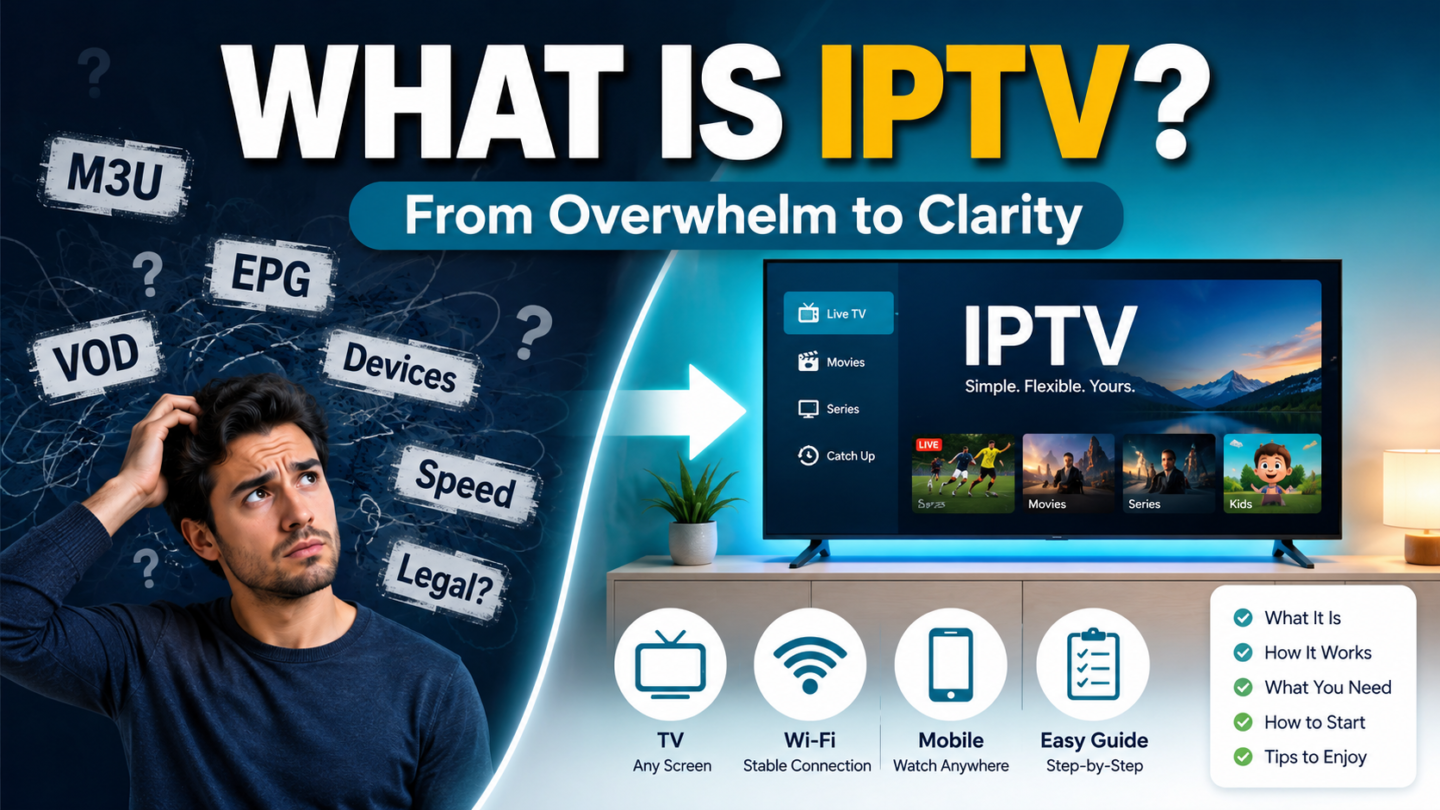
If you’ve spent the last hour reading about IPTV and feel more confused than when you started, you’re not alone. The acronyms pile up, the tutorials contradict each other, and every forum thread seems to assume you already know what a “playlist” is. It’s genuinely frustrating, and that frustration is not a sign that you’re bad with technology. It’s a sign that the information out there is messy. The good news is that IPTV itself is far simpler than the internet makes it look. Let’s clear the fog together, one piece at a time.
First, What IPTV Actually Means
IPTV stands for Internet Protocol Television. In plain terms, it means watching TV that’s delivered over your internet connection instead of through an antenna, satellite dish, or cable line. If you’ve ever watched something on YouTube or a catch-up app, you’ve already used the same underlying technology. IPTV simply bundles live channels, sport, movies, and series into one organised app on the screens you already own.
That’s the whole concept. Everything else you’ve read is detail layered on top. Now let’s tackle the specific things that create confusion, and fix each one.
Source of Overwhelm #1: The Wall of Jargon
Why it’s confusing: Words like M3U, EPG, Xtream Codes, and VOD get thrown around as if everyone was born knowing them. They sound technical and intimidating.
The clear solution: You only need to understand three of them.
- Playlist (M3U) — the file that tells your app which channels to load. Think of it as the menu.
- EPG — the Electronic Programme Guide, which is just the on-screen TV guide showing what’s on now and next.
- VOD — Video on Demand, meaning movies and series you can start whenever you like.
That’s it. You don’t need to memorise the rest. When you’re ready to set up, your provider loads these for you. You can read more plain-English definitions of streaming terms from a neutral source like Wikipedia’s IPTV entry if you want to go deeper, but you genuinely don’t have to.
Source of Overwhelm #2: “Which Device Do I Even Use?”
Why it’s confusing: Tutorials assume you own one specific gadget, then walk you through steps that don’t match your screen. You end up wondering if you need to buy something new.
The clear solution: You almost certainly already own a compatible device. IPTV runs on Smart TVs, Amazon Fire TV Sticks, Android TV boxes, Apple TV, iPhones, iPads, Android phones, Windows PCs, and Macs.
Here’s your step-by-step starting point:
- Pick the screen you watch most often.
- Note its exact type (for example, “Samsung Smart TV” or “Fire TV Stick”).
- Match it to a compatible IPTV player app.
- Follow the device-specific instructions rather than a generic guide.
If you’re unsure which app suits your device, the Devices section on our homepage lists the screens we help set up, so you can confirm before doing anything.
Source of Overwhelm #3: Worrying About Your Internet Speed
Why it’s confusing: Some articles claim you need ultra-fast fibre; others say any connection works. With Australia’s mix of NBN, 5G home internet, and apartment Wi-Fi, it’s hard to know where you stand.
The clear solution: The targets are modest and easy to check.
- For HD viewing, aim for around 15 Mbps or more.
- For 4K-ready streams, aim for 25 Mbps or more.
- Run a free test at a trusted site like Speedtest by Ookla to see your real numbers.
- If your speed is fine but streams still stutter, the issue is usually Wi-Fi placement, not your plan.
Move your router closer to your viewing room, or connect your device by cable where possible. Small adjustments often fix what looks like a big problem.
Source of Overwhelm #4: “Is This Even Legal?”
Why it’s confusing: Headlines blur the line between the technology and how some people misuse it, leaving you anxious about whether you’re doing something wrong.
The clear solution: IPTV is a delivery method, not an illegal act. The technology itself is completely legitimate. What matters is that the content you watch is properly authorised. Stick to lawful, authorised streams and you’re on solid ground. For general guidance on streaming and copyright in Australia, you can consult an official body such as the Australian Communications and Media Authority (ACMA). If you’d like to understand our position, our Copyright Policy and Terms and Conditions spell it out clearly.
Source of Overwhelm #5: Too Many Setup Steps at Once
Why it’s confusing: Guides often dump fifteen steps on you in one screen, so it feels like a marathon before you’ve even begun.
The clear solution: Break it into four calm stages.
- Tell someone your setup — your device, internet type, and what you want to watch.
- Choose a plan that matches your needs.
- Install the right app using instructions made for your specific device.
- Start watching, and ask for tuning help if a stream needs adjusting.
You never have to solve all of this alone. If you get stuck at any point, our Support page connects you to real help over WhatsApp, so you’re guided rather than guessing. You can also browse more explainers on our blog whenever you want to learn at your own pace.
You’re Closer Than You Think
Here’s the truth the confusing tutorials never tell you: IPTV is just TV over the internet, watched on a device you already own, at a speed you probably already have. The jargon is minimal, the setup is four steps, and help is one message away.
The overwhelm you felt at the start came from scattered, contradictory information, not from any failing on your part. Now that each piece sits in its proper place, the whole picture is calm and manageable. Embrace that simplicity. Take one small step today, pick your screen, check your speed, ask a question, and let the rest follow naturally. You’ve got this, and clarity was always within reach.